Transform your design process with our Premium Revit Template, crafted to streamline your Revit workflows. Say goodbye to repetitive tasks and welcome simplified documentation. This versatile project template enhances drawing production by significantly reducing time spent on updates and troubleshooting across multiple projects.

BIM firms typically charge thousands for this level of development and integration—but we offer it at a fraction of the cost! Unlock the power of BIM automation, enabling you to focus on creativity while minimizing the gap between initial concept and final product. Boost productivity, cut down on waste, and take your projects to the next level with our Premium Revit Template.

Our Revit template is a dynamic being, which is constantly under review and updates. The Premium template will receive regular updates and materials revisions for 3 months after purchase.

Compare Features
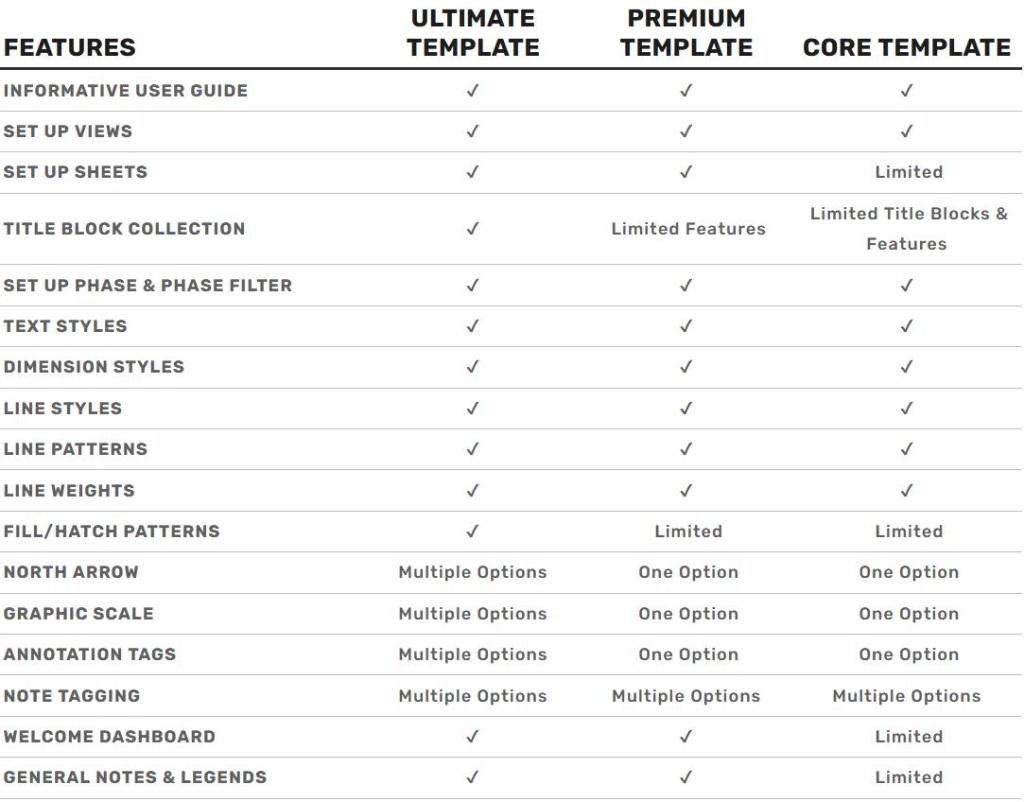
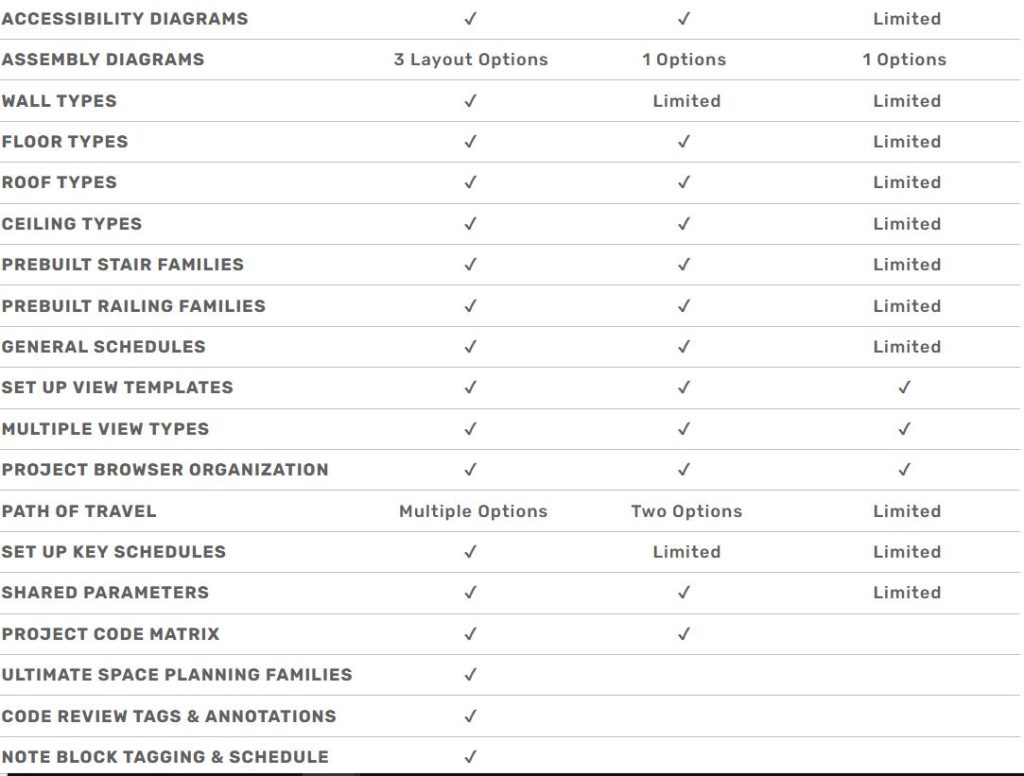
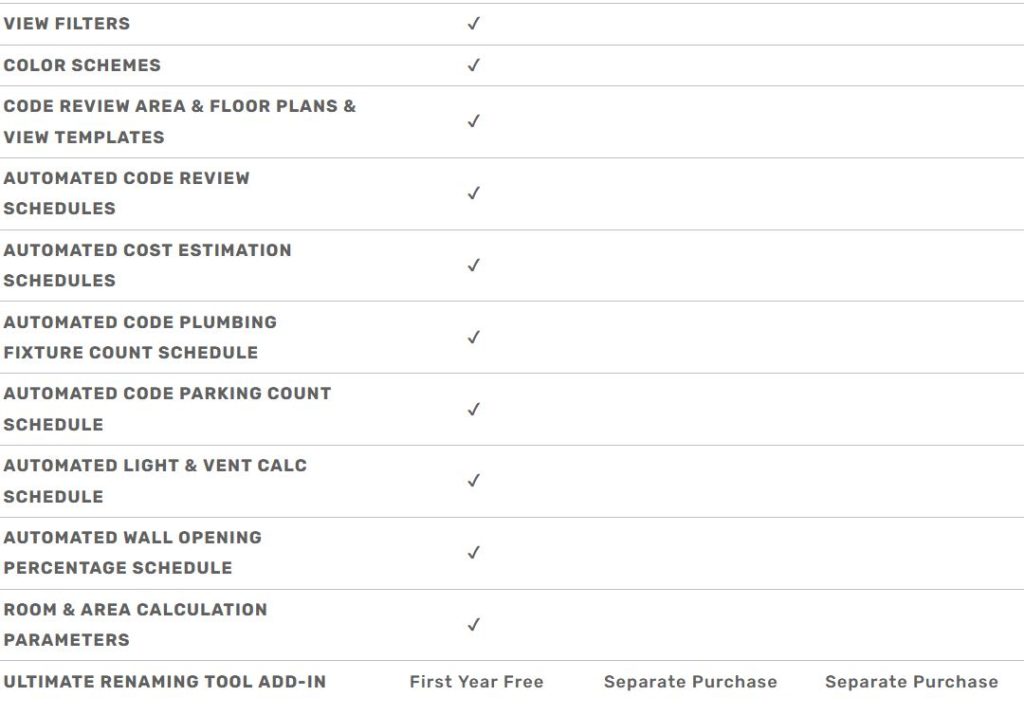
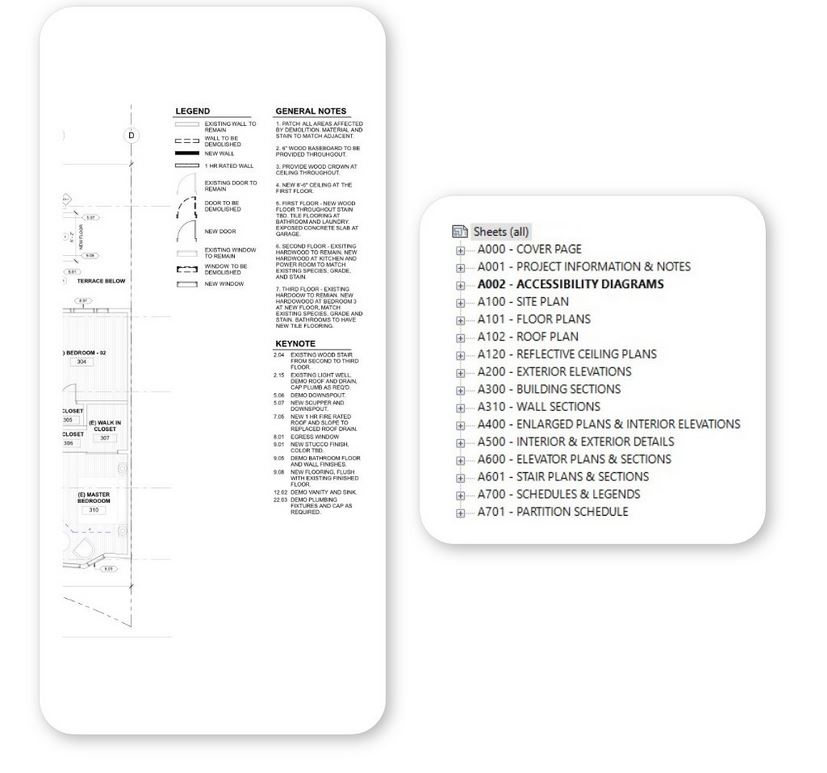
Consistent Sheets & Organized Views

Each project varies in size and scope, but the presentation of drawings should always remain consistent. By adhering to the National CAD Standard for naming conventions and organization, your drawings will maintain uniformity across all projects. To streamline the process from design to final presentation, we’ve pre-populated multiple sheets with views and legends, allowing you to quickly release issued drawings from day one.
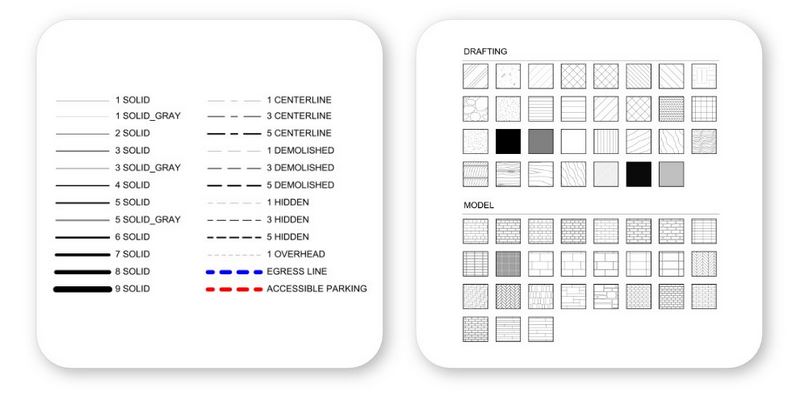
Sharp Lines & Efficient Patterns

It’s often towards the end of a project when you realize there aren’t enough line types or fill patterns, and it ends up consuming more time than expected to set everything up correctly. We’ve already handled the setup and troubleshooting of view scales, so you can focus on the more important aspects of your work..
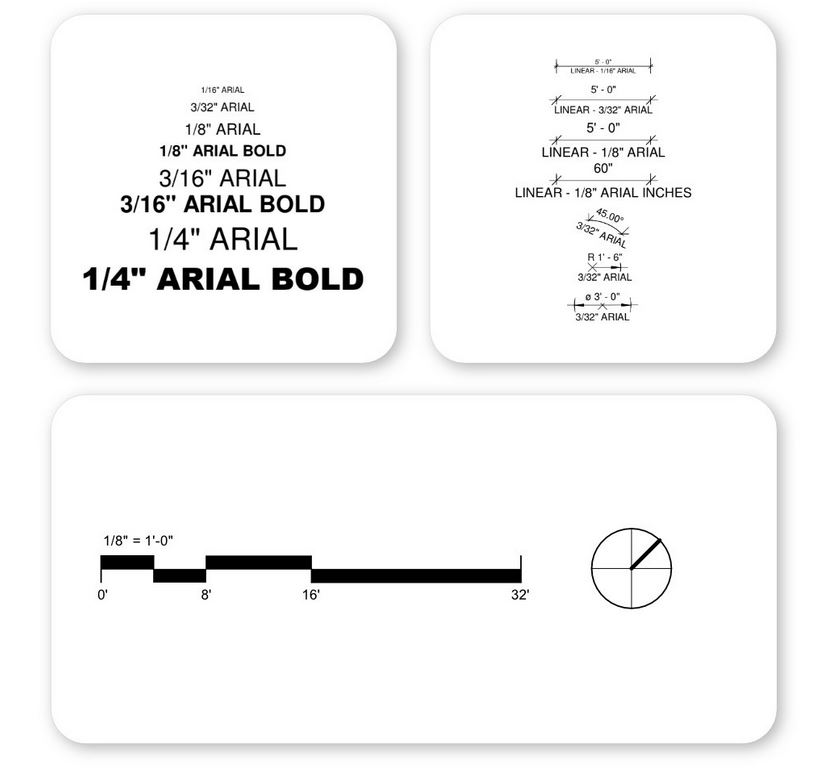
Consistent Text, Dimensions, & Graphics

Have you ever opened a project only to find text styles like ‘1/8” Arial 2, 3, copy1, copy1copy2’ with inconsistent sizes and settings? We’ve already included the most commonly used text sizes and dimensions that scale seamlessly for both digital and print readability, saving you hours of troubleshooting unnecessary families.
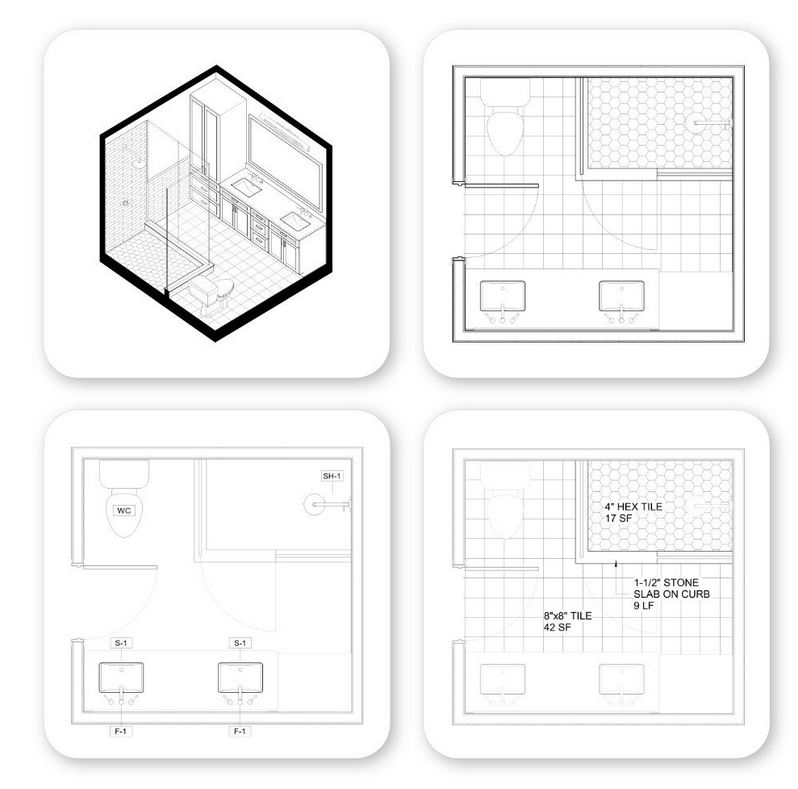
View Template Setup

Auto-applied view templates are one of the most significant time-savers in Revit. Each time you create a new floor plan, elevation, or callout detail, Revit automatically applies one of our prebuilt view templates. Combined with our extensive filter presets, these templates ensure your drawings always maintain a polished and professional appearance.
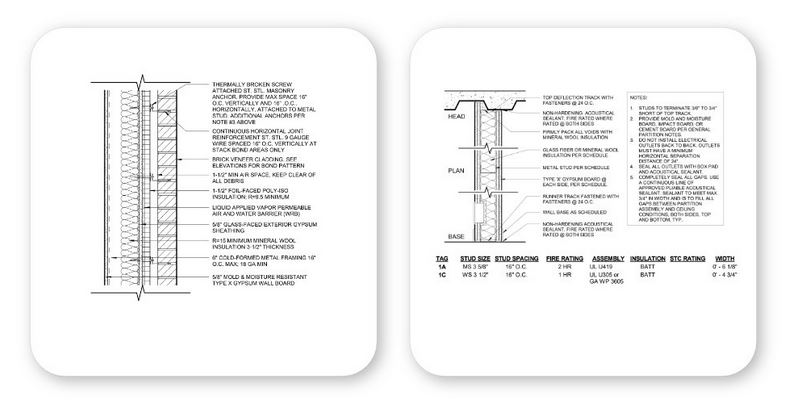
Prebuilt Assemblies & Details

Revit assemblies (walls, floors, and roofs) are essential for creating accurate models and details quickly. We've developed an extensive set of robust assemblies with pre-assigned thicknesses and materials, so you can model your project with the correct assemblies from the start. This template offers three different methods for presenting, organizing, and updating assemblies to suit a variety of styles. Additionally, we provide a large collection of assemblies with assigned materials and definitions for easy, efficient updates.
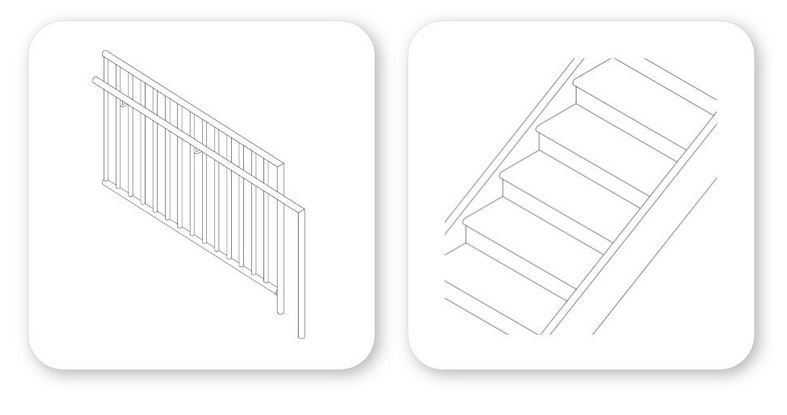
Detailed Stair & Railing Families

Stairs and railings can be some of the most challenging elements in Revit, both to troubleshoot and to make visually appealing. This template comes with preconfigured stair and railing families, ranging from simple precast stairs to intricate glass railings. We’ve set everything up with a solid structure, allowing you to easily expand and adjust as your project evolves.
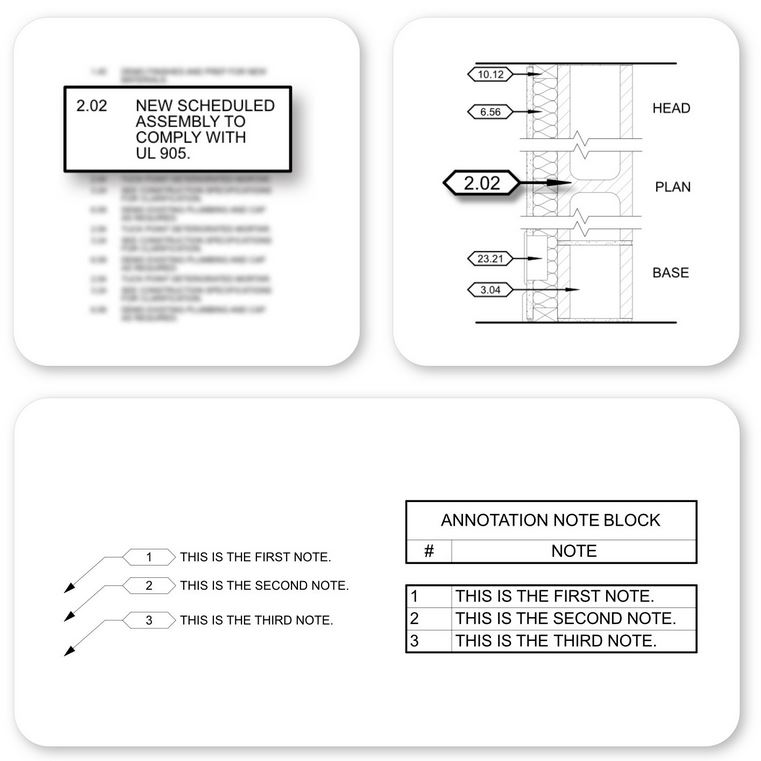
Comprehensive Note Tagging Options

While text notes with arrows are useful in some cases, they can be time-consuming to create, become a hassle during QC reviews, and clutter your drawings. Our template uses keynotes to streamline your plans, allowing you to generate a consistent set of standard notes that can be applied across all projects, all while keeping everything in a single file.

Additionally, we’ve integrated Note Blocks and tagging families for users who prefer keeping notes within the model instead of relying on a separate text file.
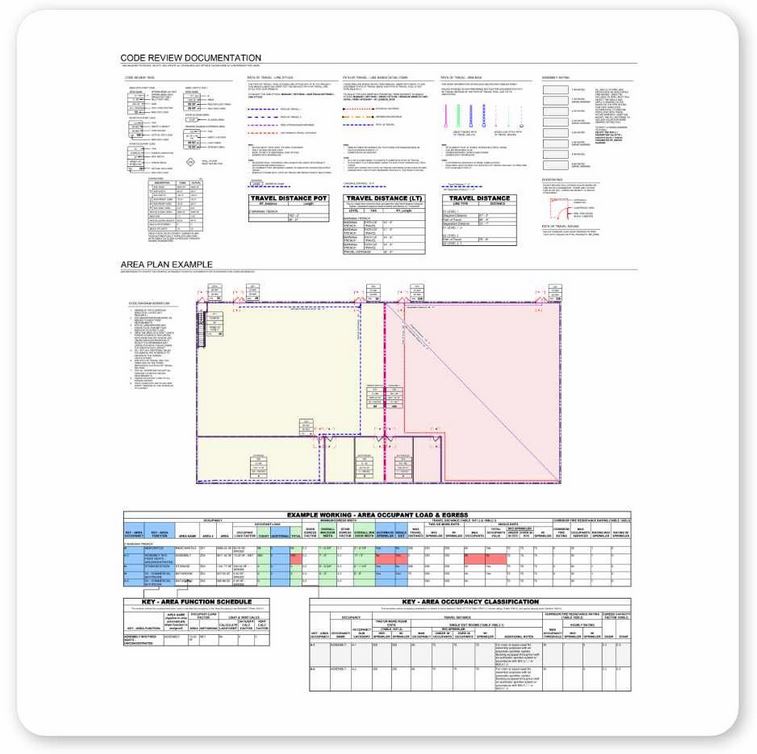
In-Model User Guide

Tired of digging through the company server to find the user guide, or relying on the BIM manager to remember where it’s located? BIM managers, are you frustrated with users not following the standards outlined in the manual? We hear you.

We’ve bridged the gap between static images and text in separate files by eliminating the need for PDFs. Now, all standards and documentation are integrated directly into the model. Whenever there’s a question, users can simply navigate to the standards section in the project browser to find the answers they need!